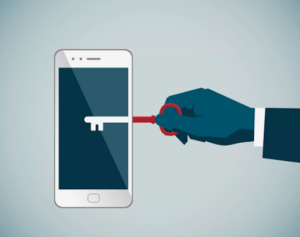
🔐 Digital Safety: Protecting Your Smartphone
Our smartphones have become an essential part of our daily lives. We use them to communicate with family and friends, take photos, access our bank accounts, shop online, navigate the city, and even store important documents.
Because so much personal information is on our phones, protecting them has become just as important as locking the door to our home.
Here are some simple steps everyone can take to make their smartphone safer.
1. Keep your phone updated
When your phone asks you to install an operating system or security update, don’t ignore it.
Updates often include important security fixes that protect your device against newly discovered threats.
Tip: Turn on automatic updates whenever possible.
2. Use a strong screen lock
Your phone should always have a screen lock.
Avoid very simple codes such as 1234, 0000, or your birth year. If your phone supports Face ID, fingerprint recognition, or another biometric feature, consider using it together with a strong passcode.
3. Turn on “Find My Device”
Both Apple and Android phones have tools that can help you locate a lost or stolen phone.
Make sure this feature is activated before you need it.
It can also allow you to remotely lock or erase your phone if necessary.
4. Be careful with text messages and links
A message that appears to come from your bank, Canada Post, a government agency, or even a friend may not actually be from them.
Before clicking a link, ask yourself:
Was I expecting this message?
If you are unsure, don’t click. Instead, open the company’s official app or type its website address yourself.
5. Review what your apps can access
Many apps ask for permission to access your:
- Location
- Camera
- Microphone
- Contacts
- Photos
Ask yourself whether the app really needs that information.
You can review and change these permissions in your phone’s settings.
6. Protect your important accounts
Your email account is especially important because it may be used to reset passwords for many other services.
Whenever possible, use two-factor authentication (2FA) for email, banking, social media, and other important accounts.
Two-factor authentication adds another layer of protection even if someone discovers your password.
7. Be careful when using public Wi-Fi
Free Wi-Fi in cafés, airports, hotels, and other public places can be convenient.
For sensitive activities such as online banking, consider using your mobile connection instead, especially if you are unsure about the network.
8. Never share a verification code
If you receive a text message containing a security or verification code, do not give that code to anyone who asks for it by phone, text, or email.
A legitimate company should not need you to tell them a code that was sent to your phone.
9. Back up your important information
Photos, contacts and important documents can disappear if a phone is lost, damaged or stolen.
Make sure your phone is regularly backed up to a trusted service.
10. Stop and think
Perhaps the most important security tool is you.
Scammers often create a sense of urgency:
“Your account will be closed today.”
“You have an unpaid bill.”
“Your package cannot be delivered.”
“Your bank account has been compromised.”
Take a moment. Don’t let urgency make the decision for you.
When in doubt, stop and verify the information through an official source.
🔒 A simple rule to remember
Keep your phone updated.
Keep it locked.
Think before you click.
Never share your security codes.
A few simple habits can make a big difference in protecting your privacy and personal information.
Stay safe — both online and offline.